Clean Backgammon Complete App Guide: Every Menu, Setting, Game Mode, and Math Formula Explained (Q&A)
- Complete breakdown of every menu, button, and submenu across the entire Clean Backgammon application.
- Comprehensive guide to all 5 play modes: Single Player vs 6 AI difficulty levels, 2 Players Pass & Play, Local WiFi LAN, Online PvP, and Web Browser Pairing.
- Step-by-step instructions for customizing 90+ avatars, 20+ luxury Day/Night boards, dice skins, profile badges, and adjusting audio volume.
- Intuitive mathematical explanation of the ELO rating system (expected scores, K=32 factor, upset rewards, and 6-roll forfeit protection).
- Clear mathematical breakdown of match XP rewards (normal, gammon, backgammon, doubling cube multipliers) and the 1.25x level progression formula.
- In-depth guide to the Dice Fairness audit: 6x6 heatmap matrix, Chi-Square goodness-of-fit test (df = 35), p-value significance, and cryptographic CSPRNG.
1. Introduction: The Clean Backgammon Philosophy
Q: What is Clean Backgammon and how does it differ from traditional backgammon apps? Clean Backgammon was designed from the ground up to solve the biggest frustrations modern backgammon players experience with digital board games: aggressive paywalls, flashing banner distractions, manipulative 'rigged' dice algorithms, and sluggish user interfaces. Clean Backgammon delivers a distraction-free, elegant, and authentic backgammon experience with handcrafted 3D graphics, genuine Day/Night ambient lighting, a 100% transparent and provably fair cryptographic dice engine, offline-first reliability, and seamless cross-platform play between Android and the Web.
Q: How does this Q&A Guide complement the in-game Help and Academy? While the in-game Help dialog covers essential movement rules and basic navigation, and the Clean Backgammon Academy focuses on opening theory and checker tactics, this guide serves as the definitive reference manual for the entire app. It answers every practical question about where features live, how each toggle affects gameplay, how to customize your aesthetic presentation, and the precise mathematical rules governing your rating, level progression, and statistical audits.
2. Main Menu & Dashboard: Item-by-Item Breakdown
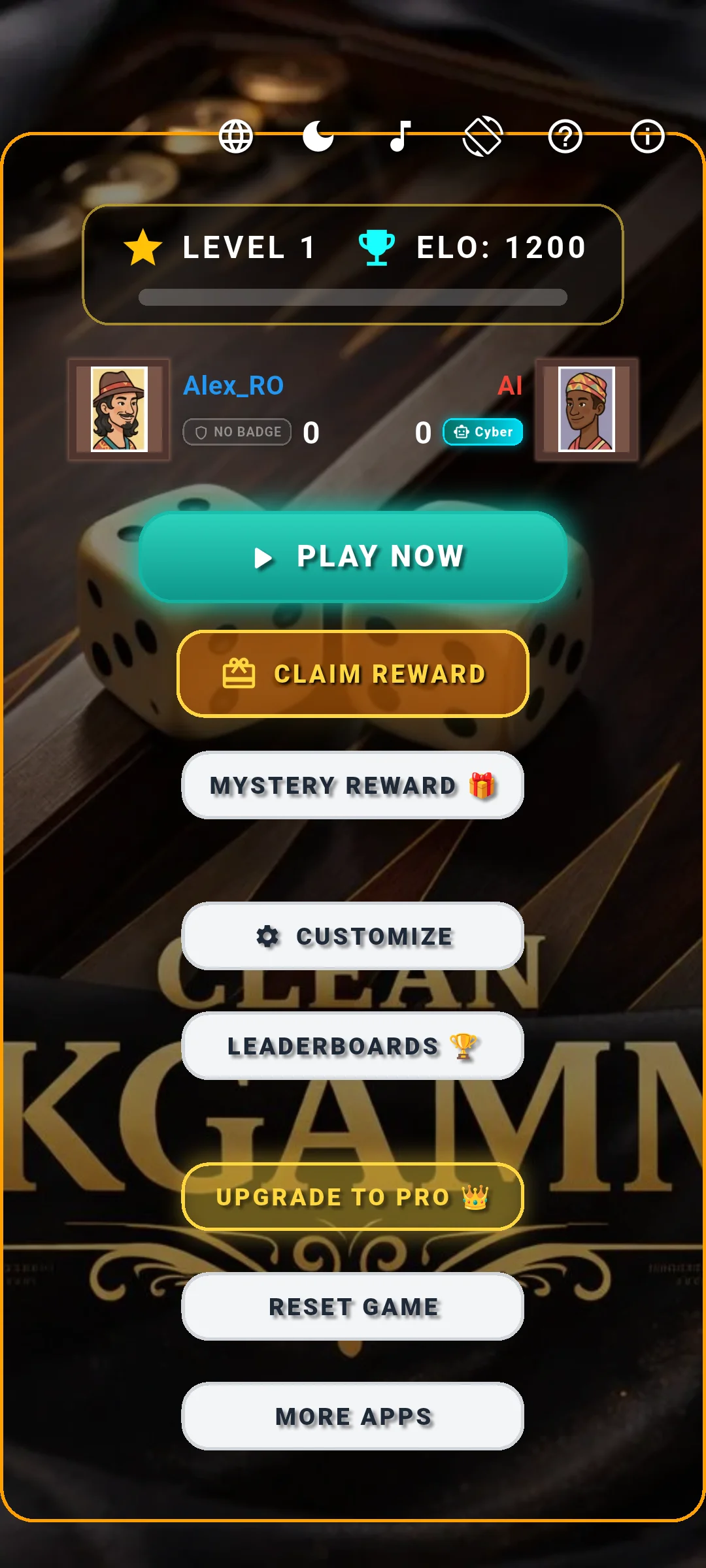
Q: What information is displayed in the Main Menu dashboard? The main menu serves as your personal backgammon command center. At the top of the central dashboard, you will see your Player Level and XP progress bar, your current competitive ELO rating (starting at 1200), and your equipped Vibe Badge. Below this is the active match scorecard showing Player 1 (Blue) and Player 2 / AI (Red) match points, active avatar portraits, and names.
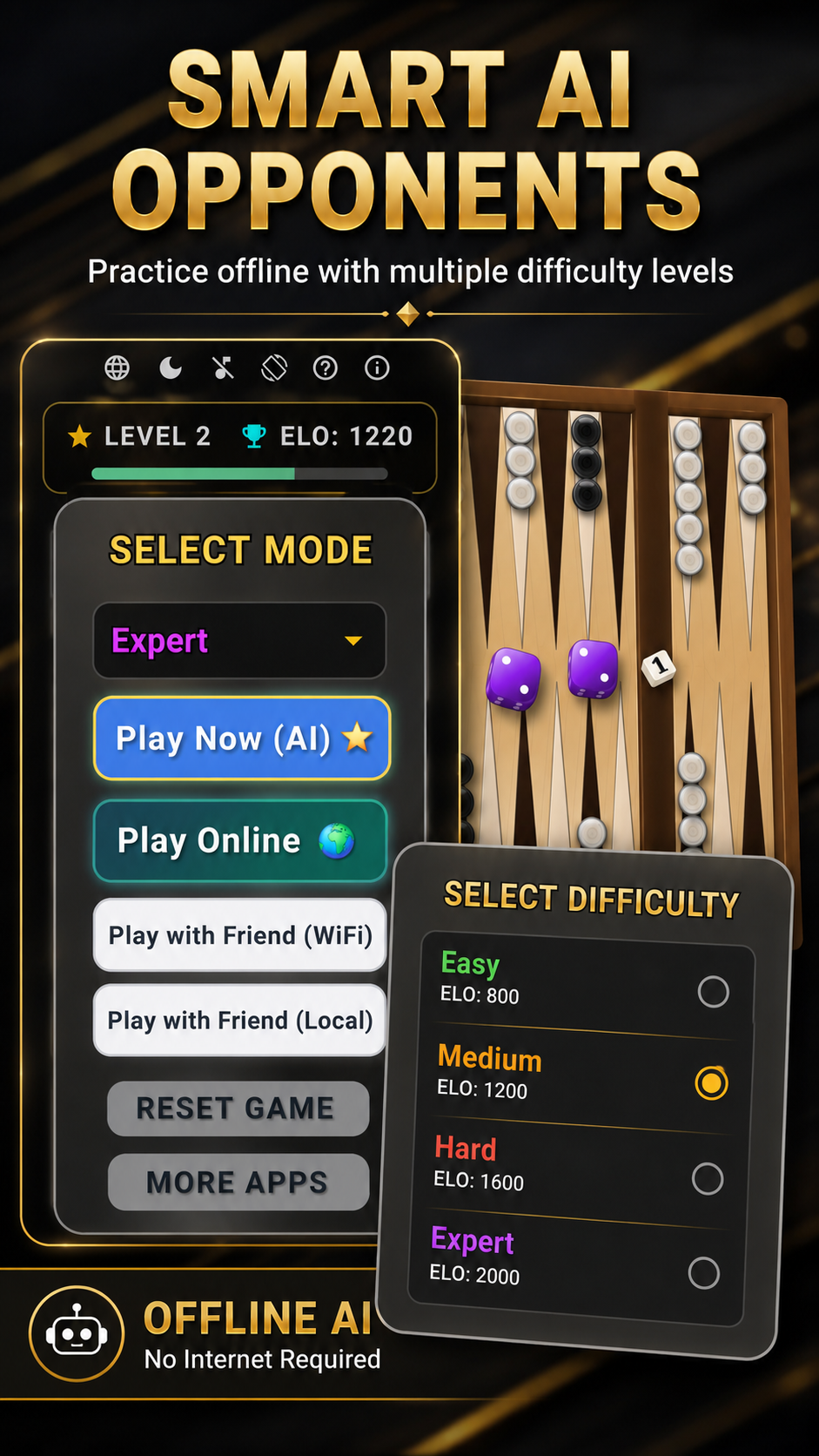
Q: What does the 'PLAY NOW' button do? The prominent illuminated 'PLAY NOW' button opens the primary Mode Selection dialog. From here, you can launch a Single Player match against the AI, start a local Pass & Play 2-player match, host or join a local WiFi LAN game, or enter the browser pairing modal.
Q: What is the 'DAILY REWARD' button and how does it work? The Daily Reward button rewards consistent players every 24 hours. Tapping it claims a daily login bonus of +500 to +1,000 XP directly to your profile, accelerating your level progression.
Q: What is the 'MYSTERY REWARD 🎁' button? The Mystery Reward box is a special bonus chest that recharges every 4 hours. When opened, it awards bonus XP (between 250 and 1,000 XP) and periodically grants free 24-hour temporary access to locked premium Vibe Badges and features for free players.
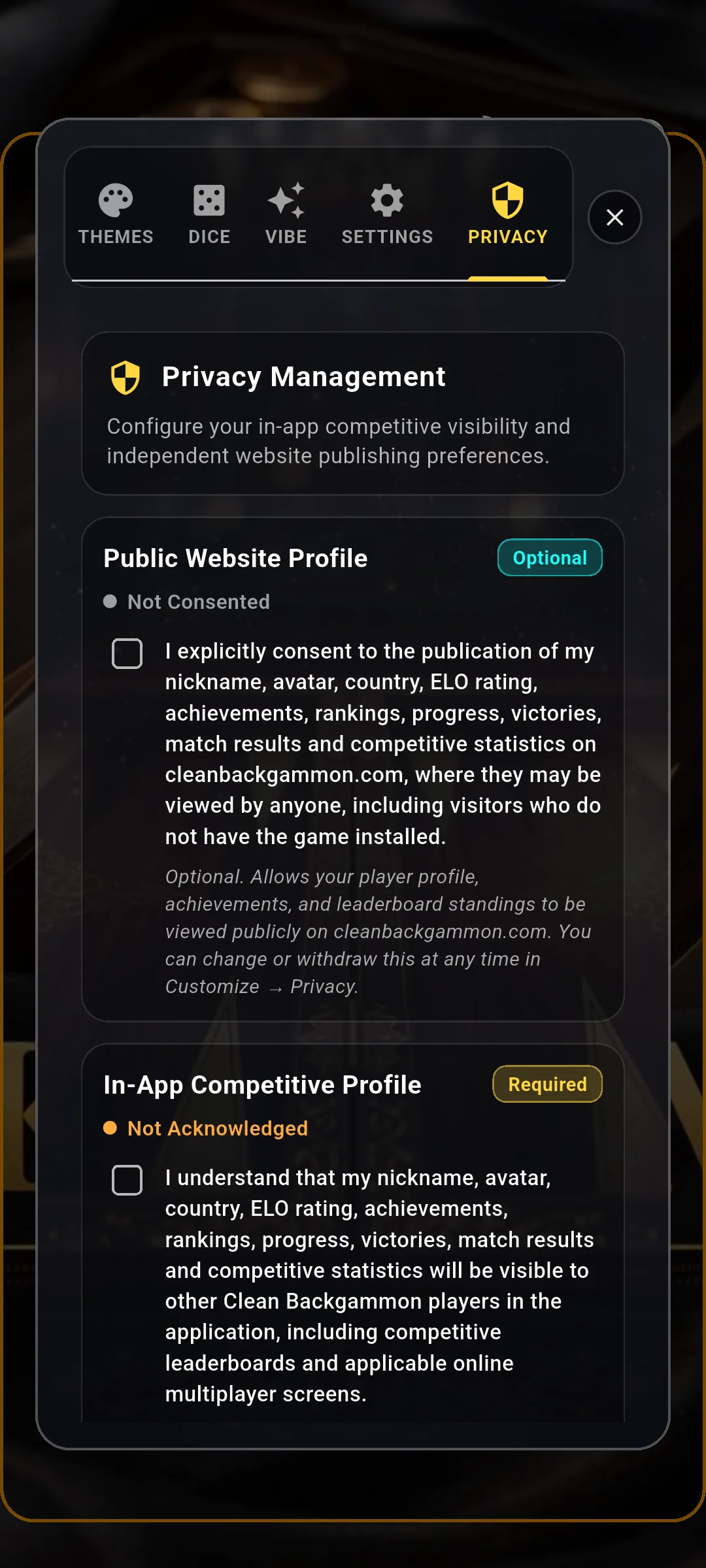
Q: What does the 'CUSTOMIZE' button open? The Customize button (with the settings gear icon) opens the comprehensive Customization & Settings Suite. This suite contains five dedicated tabs: Themes (board styles), Dice (dice skins), Profile (username, avatar, country flag, badge), Settings (audio, screen orientation, move assistants), and Privacy (account and data management).
Q: What does the 'LEADERBOARDS 🏆' button do? The Leaderboards button opens the competitive ranking center. Here you can inspect the Global ELO leaderboard, track the national Country Cup standings, view your career progress stats, monitor Daily/Weekly AI tournament performances, and audit the live global Dice Fairness data.
Q: What does 'UPGRADE TO PRO 👑' include? Available in the free version of the game, this button opens the PRO upgrade screen. PRO provides a lifetime ad-free experience, permanent access to the grandmaster Neural Network Master AI, immediate unlocking of all 20+ luxury board themes and dice skins, and the prestigious Golden Crown profile badge.
Q: What does the 'RESET GAME' button do? Tapping 'RESET GAME' opens a confirmation dialog that resets the current in-game score counter between Player 1 and Player 2 back to 0-0. This is useful when playing a long session with a friend and wanting a fresh scorecard. It does NOT wipe your career XP, level, or ELO rating.
Q: What does the 'MORE APPS' button do? This button navigates to the NativeSoft family showcase, highlighting our other board, puzzle, and utility applications.
Q: What do the icons in the Top Navigation Bar do? • Exit Icon (Door/Arrow, Android): Safely terminates the application. • Language Dropdown (Globe): Allows instant switching between 23 languages without restarting the game. • Dark / Light Mode (Sun/Moon): Instantly toggles between warm daytime lighting and sleek dark nighttime ambiance. • Music & Ambience (Music Note): Quickly mutes or unmutes the soothing acoustic soundtrack. • Screen Orientation (Rotate): Toggles between Auto-Rotate, Portrait Lock, and Landscape Lock. • Help Icon (?): Opens the 5-tab Comprehensive In-Game Help dialog. • About Icon (i): Displays the software version, build release notes, and developer credits.
3. Game Modes: Single Player, Pass & Play, WiFi LAN, and Online PvP
Q: What game modes are available in Clean Backgammon? Clean Backgammon supports five distinct play modes designed for every scenario: Single Player (vs AI), 2 Players (Pass & Play on one device), Play with Friend (Local WiFi LAN), Online PvP (Global matchmaking), and Play on Web (Browser cross-play).
Q: How does Single Player (vs AI) work, and what are the 6 AI Difficulty Levels? Single Player allows you to challenge an offline computer opponent anytime without an internet connection. Clean Backgammon features six distinct AI difficulty tiers: 1. Easy: A relaxed, beginner-friendly opponent. It mixes heuristic moves with slight randomness, frequently overlooks exposed single checkers (blots), and avoids aggressive doubling. Perfect for learning how checkers move. 2. Medium: A balanced tactical opponent. It recognizes safe points, maintains anchors in the opponent's home board, and understands basic race management. 3. Hard: A seasoned club-level player. Hard aggressively attacks vulnerable opponent blots, builds 3-to-4 point blocking primes, and defends its inner board tenaciously. 4. Expert: A tournament-grade heuristic engine. Expert uses sophisticated positional evaluation, executes the 'Home Board Fortress' strategy, optimizes pip race equity, and makes precise doubling cube decisions. 5. Ultra: An elite AI engine. Ultra analyzes complex multi-ply contact positions, creates inescapable 6-prime containment barriers, and punishes even minor positional inaccuracies. 6. Master: The pinnacle of backgammon artificial intelligence in Clean Backgammon. Master is a state-of-the-art Deep Neural Network trained on millions of championship positions. It evaluates positions at grandmaster level with near-zero error rate, yet computes moves instantly and works completely offline without network lag.
Q: What match lengths can you choose for AI games? When launching an AI match, you can select between a Single Game (first to 1 point) or standard tournament match play: First to 3, 5, 7, or 11 points.
Q: What is '2 Players' (Pass & Play) mode? Pass & Play transforms your mobile phone or tablet into a physical, digital backgammon board. Two human players sit together, sharing the device and alternating turns rolling and moving checkers. No internet, Bluetooth, or pairing is required.
Q: How does 'Play with Friend (WiFi LAN)' work without internet? WiFi LAN play allows two devices on the same local WiFi network (or a phone hotspot) to play together peer-to-peer. The game uses zero-configuration UDP network broadcasting and direct local TCP sockets. One player taps 'Host Table' and the other player's app automatically detects the hosted table within milliseconds. It requires zero cloud servers, zero internet bandwidth, and operates with absolute zero lag.
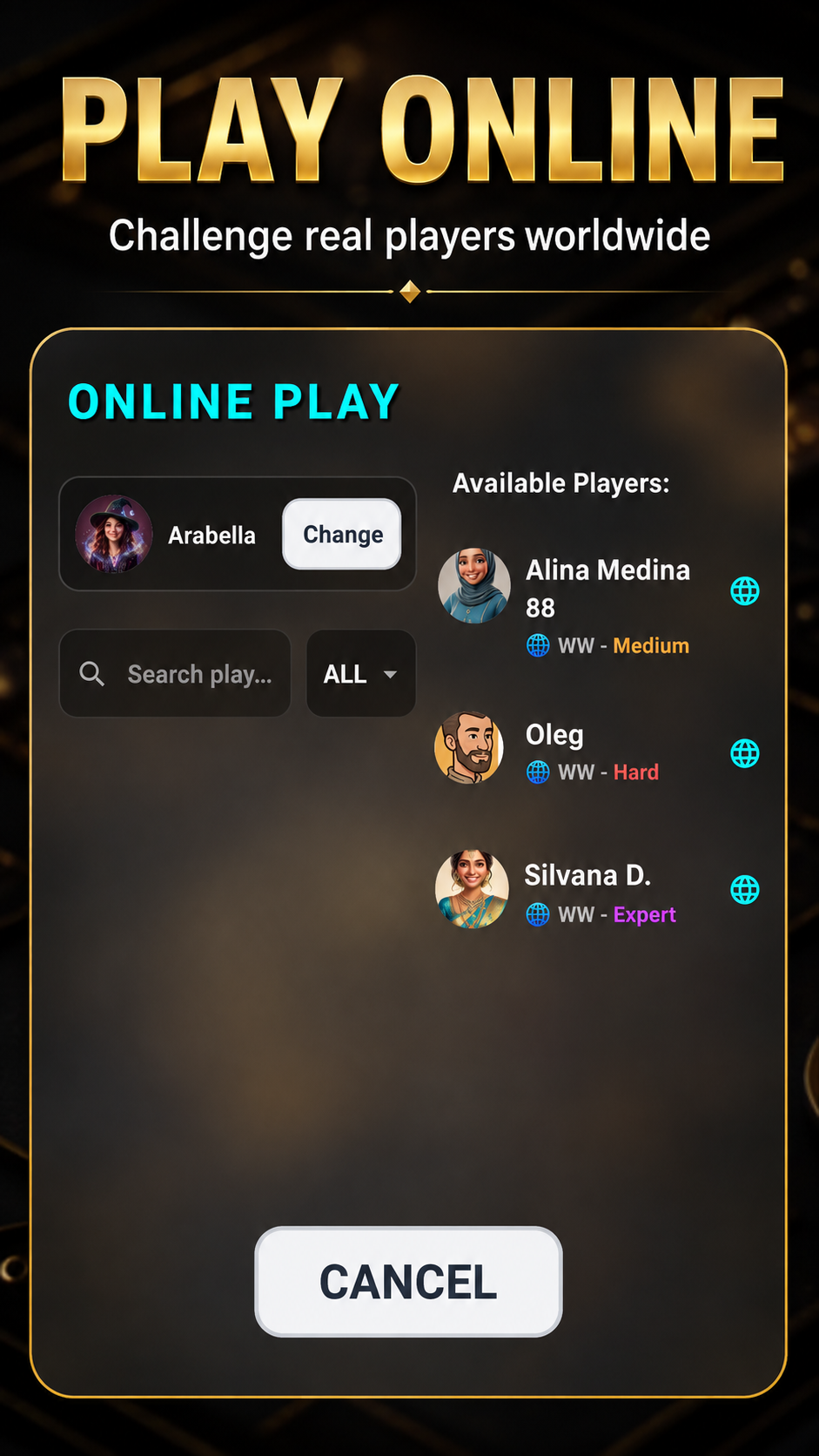
Q: What is 'Online PvP' and how does matchmaking work? Online PvP connects you to players worldwide over high-speed WebSocket servers. You can browse active players in the lobby, invite opponents, accept incoming challenges, and play ranked matches. Clean Backgammon enforces fair matchmaking and cross-play between mobile and browser players.
Q: What is 'Play on Web (Browser)' and how does pairing work? Play on Web lets you continue playing Clean Backgammon on your desktop or laptop computer at cleanbackgammon.com/play. To pair, open Settings or the Play dialog, tap 'Play on Web', and copy the temporary 8-digit authorization code. Entering this code on the website instantly links your mobile account, preserving your rating, avatar, and unlocked cosmetics.
4. In-Game Board HUD & Controls: How to Play
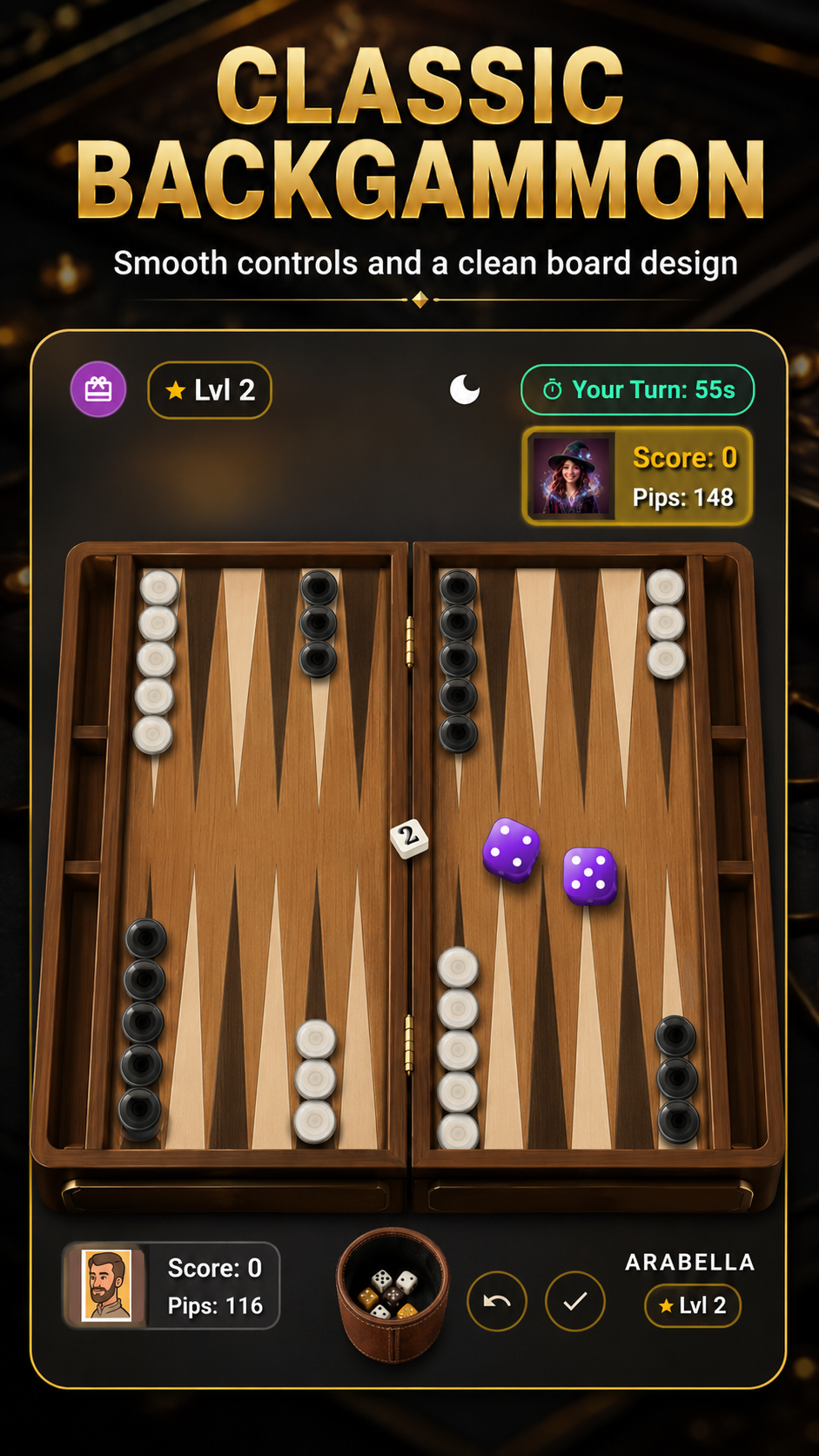
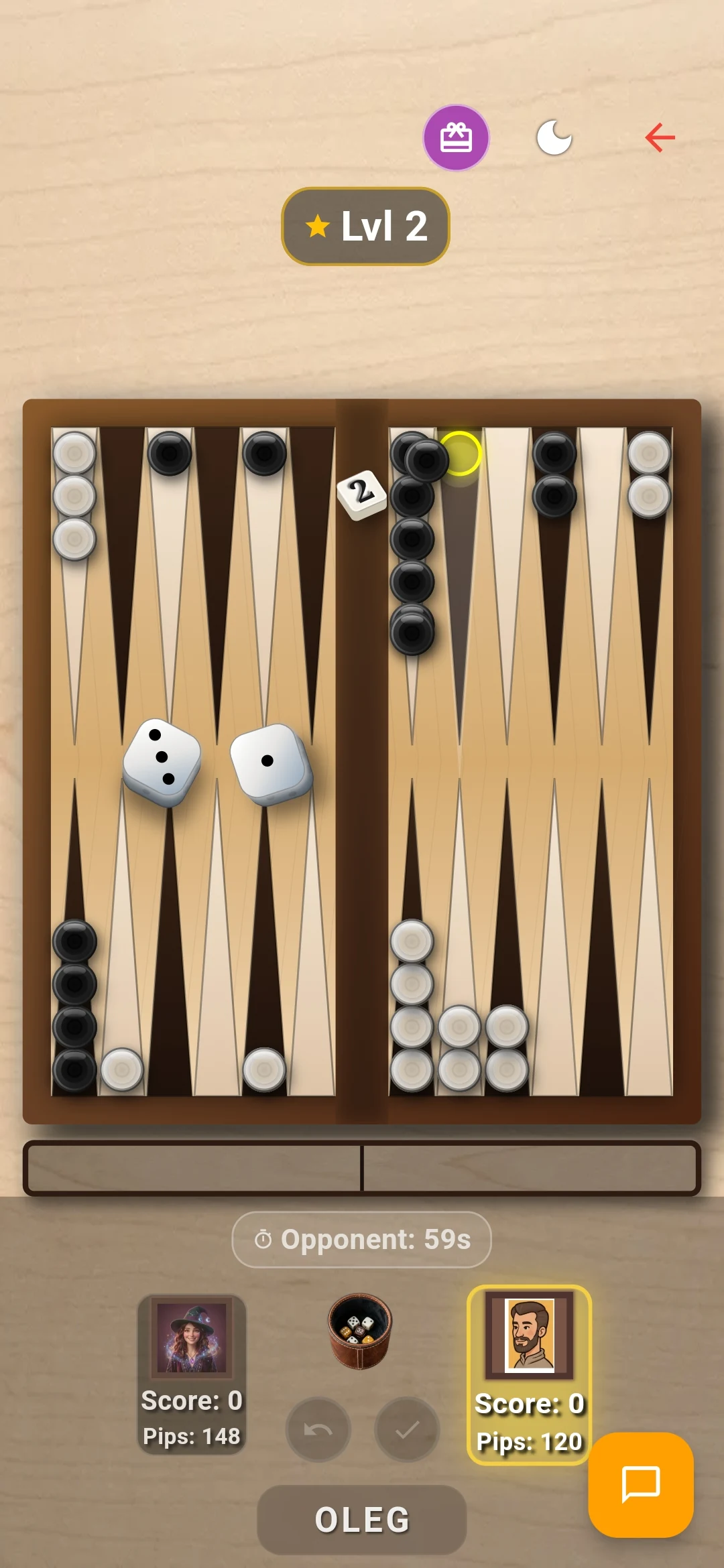
Q: How do you roll the dice during your turn? When your turn begins, you can roll the dice by tapping the tactile 3D dice cup on the side of the board, tapping anywhere in the center board area, or enabling 'Auto Roll Dice' in Settings for instantaneous rolling.
Q: How do you move your checkers on the board? Clean Backgammon offers two intuitive control methods: • Tap to Move: Tap any active checker, and the game automatically computes and executes the best legal move according to your rolled dice. Target points light up with pulsing golden indicators. • Drag and Drop: Pick up any checker and physically drag it to your desired destination point. Valid landing points highlight dynamically as you drag.
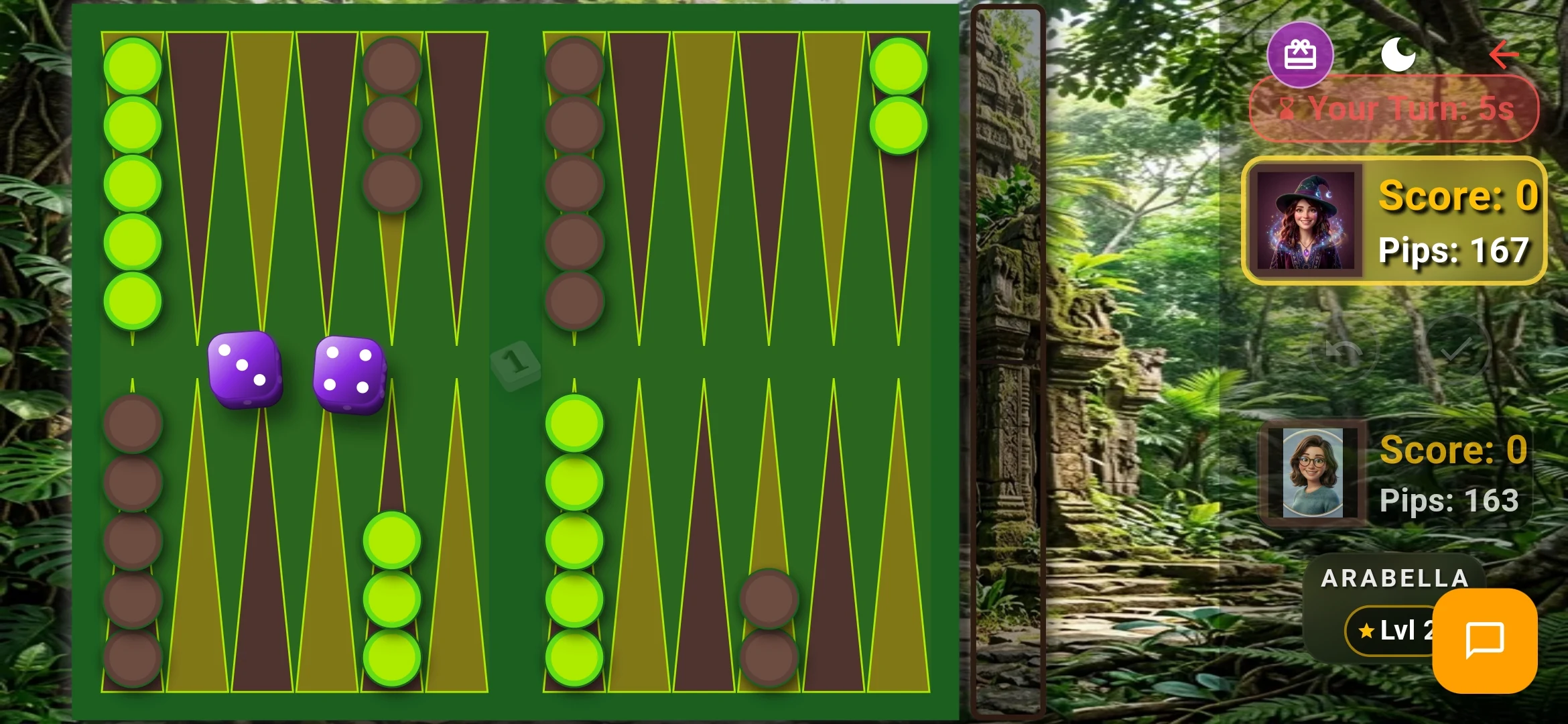
Q: What are Pip Counters and the Pip Difference badge? A 'pip' represents one point of movement needed to bring a checker home and bear it off. At the start of a game, both players have 167 pips. The in-game HUD displays both players' live pip counts, along with an active race differential badge (e.g., '+14' or '-8'). A lower pip count means you are leading the race toward bearing off.
Q: How does the Turn Clock / Timer work in Online matches? To keep online gameplay snappy and prevent griefing or stalling, each turn features a smooth countdown timer bar. If the timer expires before a move is completed, the turn passes or an automatic move is submitted to keep the match moving.
Q: How does the Doubling Cube work, and how do you offer a double? The Doubling Cube is a six-sided die marked with numbers 2, 4, 8, 16, 32, and 64, used to raise the stakes of a match. In Clean Backgammon, an interactive 3D Doubling Cube widget floats alongside your dice cup. On your turn, before rolling the dice, you can tap the cube to propose doubling the match stakes. Your opponent must choose: • Take (Accept): Agrees to play the remainder of the game at twice the point value. The opponent now owns the cube and is the only player who can propose a redouble. • Drop (Decline / Concede): Forfeits the game immediately, conceding the current single-point stake to you without risking higher losses.
Q: What is the Crawford Rule and how is it enforced? In tournament match play, when either player reaches exactly one point away from winning the match (for example, 4 points in a 5-point match), the next game is designated the 'Crawford Game'. During the Crawford Game, neither player is allowed to use the doubling cube. Clean Backgammon automatically detects match scores and disables the cube during the Crawford Game in strict compliance with international tournament rules.
Q: How do you hit an opponent's blot and enter checkers from the Bar? A single, isolated checker standing on a point is called a 'blot'. If an opponent lands on that point, your checker is 'hit' and placed onto the center Bar. Any checkers on the Bar must re-enter into the opponent's furthest home quadrant (points 1 through 6) according to your dice roll before you can move any other checkers on the board.
Q: What are the conditions for Bearing Off, and how does Auto-Bearoff work? You may only begin bearing off checkers once all 15 of your checkers have successfully reached your inner Home Board (points 1 to 6). Dice rolls corresponding to point numbers allow you to remove checkers from the board. When 'Auto-Bearoff' is enabled in Settings, the engine automatically removes checkers on unambiguous turns where no tactical alternative exists, greatly accelerating endgame play.
Q: What is the Undo button and when can you retract a move? If 'Undo Available' is turned on in Settings, an Undo button appears during your turn. Before you conclude your turn or roll your second die, tapping Undo retracts your last piece movement, allowing you to rethink tactics before committing.
Q: How do you Resign or Forfeit a match? Tap the in-game Menu icon and select 'Resign'. A dialog prompts you to choose the appropriate concession level: • Normal Resign (concede 1x current cube stake) • Gammon Resign (concede 2x current cube stake) • Backgammon Resign (concede 3x current cube stake) Clean Backgammon prevents accidental resignations with a clear confirmation dialog.
5. Settings & Audio Controls: How to Configure Everything
Q: How do I turn down the volume or mute background music? Open the Customize menu from the main dashboard and select the Settings tab: • Master Volume Slider: Drag the slider left to reduce the overall volume, or right to increase it. This scales all sounds proportionally. • Music & Ambience Toggle: If you want to enjoy the tactile sound effects of dice rolling and checkers clicking while silencing the musical soundtrack, toggle the 'Music & Ambience' switch to OFF. • Quick Mute in Menu: You can also tap the Music Note icon in the top header bar of the main screen to toggle music on and off instantly.
Q: How do I change the Screen Orientation? In Settings, tap the Screen Orientation selector. You have three choices: • Auto Rotate: The app dynamically follows your device's physical orientation sensor. • Portrait: Locks the board and menus into a vertical layout, ideal for one-handed phone play. • Landscape: Locks the game into a spacious widescreen tabletop layout, perfect for tablets and widescreen phones.
Q: What does the 'Dark Mode' switch do? Toggling Dark Mode switches the application between daytime ambient lighting (rich honey-warm hues and bright board felt) and nighttime mode (deep obsidian charcoal tones, soft shadows, and reduced glare for evening sessions).
Q: What does '3D Mode' do? 3D Mode activates pseudo-3D layered perspective rendering. When enabled, checkers cast soft realistic drop shadows onto board triangles, board rims feature bevel shading, and dice display depth elevation for a true board-game feel.
Q: What is 'Auto Roll Dice' and should I turn it on? When enabled, your dice roll automatically the moment your turn begins, eliminating the extra tap on the dice cup. We recommend this for fast-paced players who want maximum match velocity.
Q: What does 'Slower Opponent Moves' do? If the AI or an online opponent makes moves too quickly for you to follow, turn this switch ON. The engine inserts an intentional pacing delay between checker movements so you can observe exactly where opposing pieces travel.
Q: How do I enable or disable the Doubling Cube for AI matches? In Settings, locate the 'Use Cube' switch. When toggled ON, the Doubling Cube is active in Hard, Expert, Ultra, and Master AI games. When toggled OFF, matches are played without doubling stakes.
Q: How do I toggle Haptic Feedback / Device Vibration? Toggle the 'Haptic Feedback' switch in Settings. When ON, your phone emits subtle tactile vibration impulses when dice clatter onto the board, when checkers strike an opponent blot, and when pieces are borne off.
Q: How do I change the application language? In Settings (or via the Globe icon in the main menu header), tap the Language dropdown. Clean Backgammon includes complete, human-curated translations in 23 languages: English, Romanian, German, French, Spanish, Italian, Russian, Turkish, Arabic, Greek, Polish, Portuguese, Hindi, Persian, Hebrew, Japanese, Korean, Ukrainian, Dutch, Czech, Hungarian, Danish, and Swedish.
6. Customization & Personalization: Avatars, Dice, Themes, and Badges
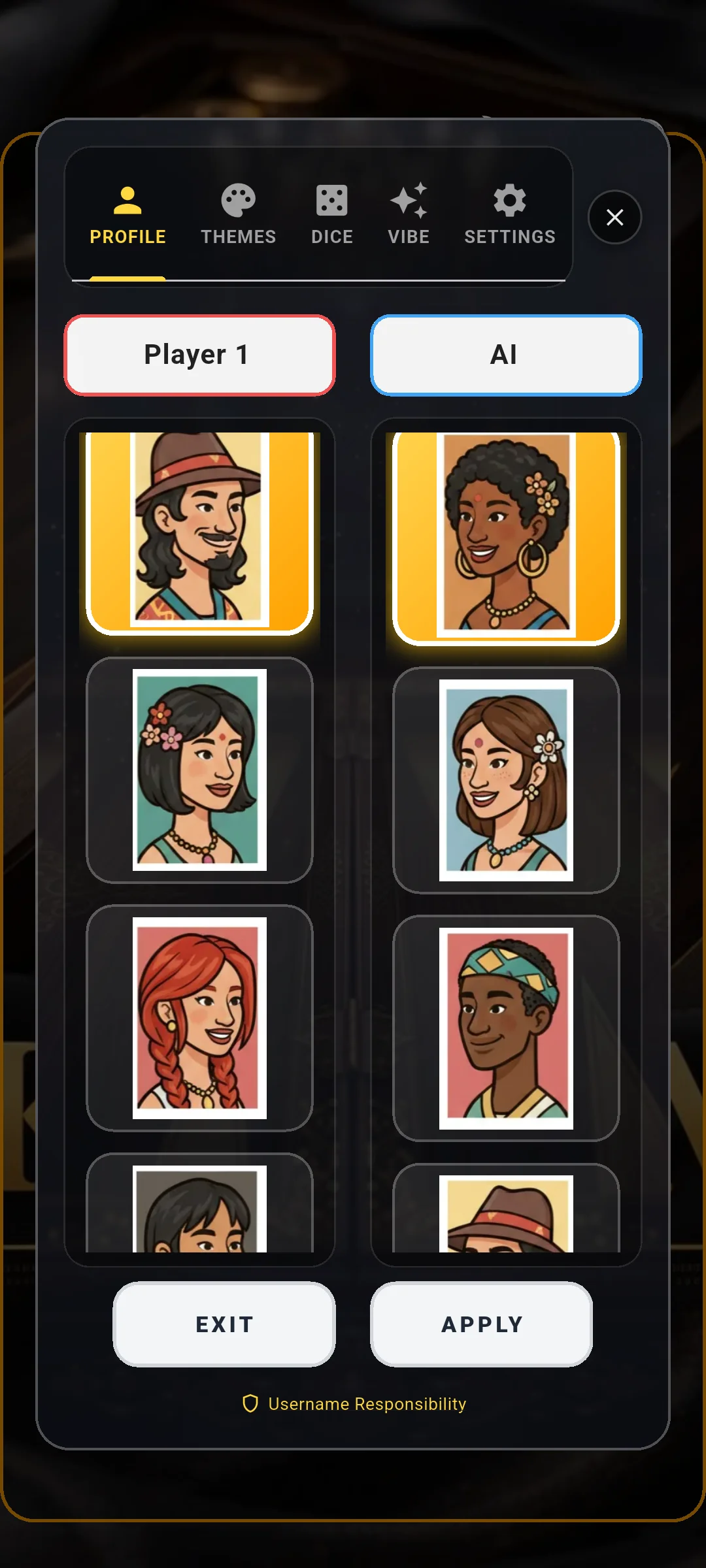
Q: How do I change my Avatar portrait? Open Customize > Profile tab and tap on your current avatar circle. A full-screen avatar gallery opens featuring over 90 beautifully illustrated character portraits—from classical backgammon grandmasters and medieval royalty to modern cyberpunk and anime avatars. Tap any portrait to equip it immediately.
Q: How do I change my Display Name / Username? Under Customize > Profile, tap the pencil edit icon next to your current name. Type your desired name (3 to 16 characters) and tap Save. The app checks your name in real-time against fair-play moderation rules to ensure family-friendly online play.
Q: How do I choose my Country Flag? In the Profile tab, tap the Country Flag selector. You can search or scroll through sovereign nations worldwide. Equipping your flag proudly displays it on the board during online matches and attributes your match victories directly to your nation's standing in the Country Cup.
Q: What are Profile Badges (Vibe Badges) and how do I equip them? Profile Badges are collectible illuminated shields and titles (such as VIP, Cyber, Master, Veteran, and Golden Ace) displayed next to your username on the scoreboard. You can unlock badges through tournament milestones, the Mystery Box, or Clean Backgammon PRO.
Q: How do I change Board Themes? Open Customize > Themes tab. Clean Backgammon includes more than 20 luxury handcrafted board styles including Classic Wood, Mahogany Heirloom, Imperial Marble, Cyberpunk Neon, Samurai Lacquer, Emerald Velvet, Onyx Shadow, and Nordic Frost. Tap any board to preview and apply it.
Q: What are Day and Night lighting variants for board themes? Every board theme includes two distinct lighting models: a vibrant Day mode with natural ambient illumination, and a dramatic Night mode with directional point lighting and checker specular reflections.
Q: How do I change Dice Skins? Open Customize > Dice tab. You can select between Classic Ivory, Ruby Gemstone, Polished Obsidian, Golden Dice, and Neon Glow, paired with crisp 3D pips.
7. Mathematical Progression: XP, Levels, and Match Rewards Explained
Q: How is Experience Points (XP) calculated after each match? Clean Backgammon uses a fair, formula-based XP system that rewards both victory quality and match participation: $$\text{XP (Win)} = \min\big(500 \times \text{Match Points}, \; 96,000\big)$$ $$\text{XP (Loss)} = \min\big(150 \times \text{Cube Value}, \; 96,000\big)$$ Where Match Points equals Base Outcome Points multiplied by the Doubling Cube Value: • Single Win: 1 base point $\to 500$ XP (at cube 1) • Gammon Win: 2 base points $\to 1,000$ XP (at cube 1) • Backgammon Win: 3 base points $\to 1,500$ XP (at cube 1) If the Doubling Cube was turned to 2 during the match, points double: a standard win awards $1,000$ XP, a gammon awards $2,000$ XP, and a backgammon awards $3,000$ XP! Furthermore, even if you lose, Clean Backgammon awards a sportsmanship consolation reward of $150 \times \text{Cube Value}$ XP for completing the match.
Q: What are bonus XP sources? In addition to match outcomes, you can earn flat XP rewards throughout the day: • Daily Reward Login: $+500$ to $+1,000$ XP • Mystery Reward Box (every 4 hours): $+250, +400, +500, +800,$ or $+1,000$ XP
Q: How are Player Levels calculated and what is the Level Formula? Player levels scale progressively according to a compounding formula: • Base requirement: $1,000$ XP • Level tier multiplier: $1.25\times$ $$\text{XP Required for Level } L = 1,000 \times (L \times 1.25)$$ To advance from Level 1 to Level 2 requires $1,250$ XP. Level 2 to Level 3 requires an additional $2,500$ XP, Level 3 to Level 4 requires $3,750$ XP, and so forth. The green progress bar in the main menu visually reflects your exact percentage progress toward your next milestone level.
8. ELO Rating System: Intuitive Mathematical Explanation
Q: What is ELO and what does your rating represent? Originally developed by physics professor Arpad Elo for chess, the ELO rating system measures relative skill between competing players. In Clean Backgammon, every new player starts at a baseline rating of 1200 ELO. A rating of 1400–1600 represents an experienced tactical player, while ratings above 1800 denote championship master-level skill.
Q: How is ELO calculated after a match? (The Math Explained Simply) ELO does not award a fixed number of points for winning. Instead, it compares the skill ratings of both players before the match to determine the Expected Win Probability ($E_A$): $$E_A = \frac{1}{1 + 10^{(R_B - R_A) / 400}}$$ Where $R_A$ is your rating, and $R_B$ is your opponent's rating: • If both players have identical ratings ($1200 \text{ vs } 1200$), the expected outcome is exactly $50\%$ ($E_A = 0.50$). • If you (1200 ELO) face a formidable opponent (1400 ELO), the rating difference is $+200$. Your expected probability of winning is approximately $24\%$ ($E_A \approx 0.24$), while your opponent is expected to win $76\%$ of the time. Once the match concludes, the Rating Adjustment ($\Delta R$) is calculated using a sensitivity factor ($K = 32$): $$\Delta R = 32 \times (S - E_A)$$ Where $S = 1$ if you win, and $S = 0$ if you lose.
Q: What does this mean in practice? • The Underdog Triumph: If you (1200) upset a 1400 master ($E_A = 0.24$), you earn: $\Delta R = 32 \times (1 - 0.24) = +24.3 \approx +24$ ELO points! The master loses 24 points. • The Expected Loss: If you (1200) lose to that same 1400 master, you are only penalized: $\Delta R = 32 \times (0 - 0.24) = -7.7 \approx -8$ ELO points. Because the system expected you to lose, your rating is barely affected. • The Heavy Favorite Win: If a 1600 master beats a 1200 novice ($E_A = 0.91$), the master only gains $+3$ points ($\Delta R = 32 \times (1 - 0.91)$). In short: Beating higher-ranked players skyrockets your rating, while losing to them carries minimal penalty!
Q: What is the 6-Roll Forfeit Protection rule? To protect players against network glitches, accidental incoming phone calls, or subway disconnections, Clean Backgammon features a strict 6-Roll Protection rule: if a match terminates before 6 total dice rolls have been completed, no ELO points are altered for either player. This guarantees your hard-earned rating is never compromised by an accidental disconnection.
Q: Are matches against Web guests ranked or unranked? Matches played against unauthenticated Web guest sessions are strictly Unranked. They allow fun, zero-pressure casual play without influencing either player's official competitive ELO.
9. Dice Fairness & Statistical Transparency: What You See and What It Means
Q: What is the Dice Fairness tab and why was it built? Almost every backgammon player in history has felt at some point that 'the computer always gets the exact roll it needs.' Rather than asking you to take our word for it, Clean Backgammon provides full, radical empirical transparency. The Dice Fairness tab (located in Leaderboards) records and publicly audits every single dice roll across the game.
Q: What is the difference between 'Global Dice' and 'My Dice'? • Global Dice: Aggregates millions of real rolls from all players across the network, filterable by All-Time, 30 Days, 7 Days, and Today. • My Dice: Tracks your personal roll history and directly compares your dice distribution side-by-side against your opponents' and the AI's dice distribution across matches. This objectively disproves the common cognitive bias that opponents receive better rolls.
Q: What does the 6x6 Heatmap Matrix display? When rolling two standard six-sided dice, there are exactly $6 \times 6 = 36$ possible ordered outcomes (1-1, 1-2, through 6-6): • Theoretical Single Combination Expectation: Each individual pair has an exact theoretical probability of $\frac{1}{36} \approx 2.778\%$. • Theoretical Doubles Frequency: There are 6 double combinations (1-1, 2-2, 3-3, 4-4, 5-5, 6-6), meaning doubles have an exact theoretical frequency of $\frac{6}{36} = \frac{1}{6} \approx 16.67\%$. • Heatmap Colors: The matrix shades each cell according to its observed frequency. Over a statistically sound number of rolls, the colors blend into a smooth, uniform tone.
Q: What is the Chi-Square ($\chi^2$) Goodness-of-Fit Test and Degrees of Freedom? To mathematically certify that our dice are unweighted and uniform, Clean Backgammon calculates the Pearson Chi-Square statistic across all 36 combinations: $$\chi^2 = \sum_{i=1}^{36} \frac{(O_i - E_i)^2}{E_i}$$ Where $O_i$ is the observed count for combination $i$, and $E_i$ is the expected theoretical count ($N / 36$). Because there are 36 combination categories, the test has 35 Degrees of Freedom ($df = 36 - 1 = 35$).
Q: What does the $p$-value and the 'No Significant Deviation' verdict mean? The $p$-value measures the probability that any observed fluctuation from theoretical perfection occurred purely by random chance: • In statistical science, a threshold of $\alpha = 0.05$ (5%) is standard. • When $p \ge 0.05$, the roll distribution is certified as 'No Significant Deviation', mathematically confirming the dice are indistinguishable from true physical randomness. • Clean Backgammon requires a minimum sample of 180 rolls before displaying a statistical verdict to prevent misleading small-sample variance.
Q: How are random dice generated under the hood? • On Mobile (Offline & AI): Uses the operating system's Cryptographically Secure Pseudo-Random Number Generator (CSPRNG via Dart `Random.secure()`), which draws hardware entropy from device thermal and timing noise. • On Web (Online PvP): In multiplayer matches involving Web clients, dice are generated authoritatively on the secure server using Node.js `crypto.randomInt(1, 7)` to prevent any client-side JavaScript tampering.

10. Leaderboards, Country Cup, and Player Cards
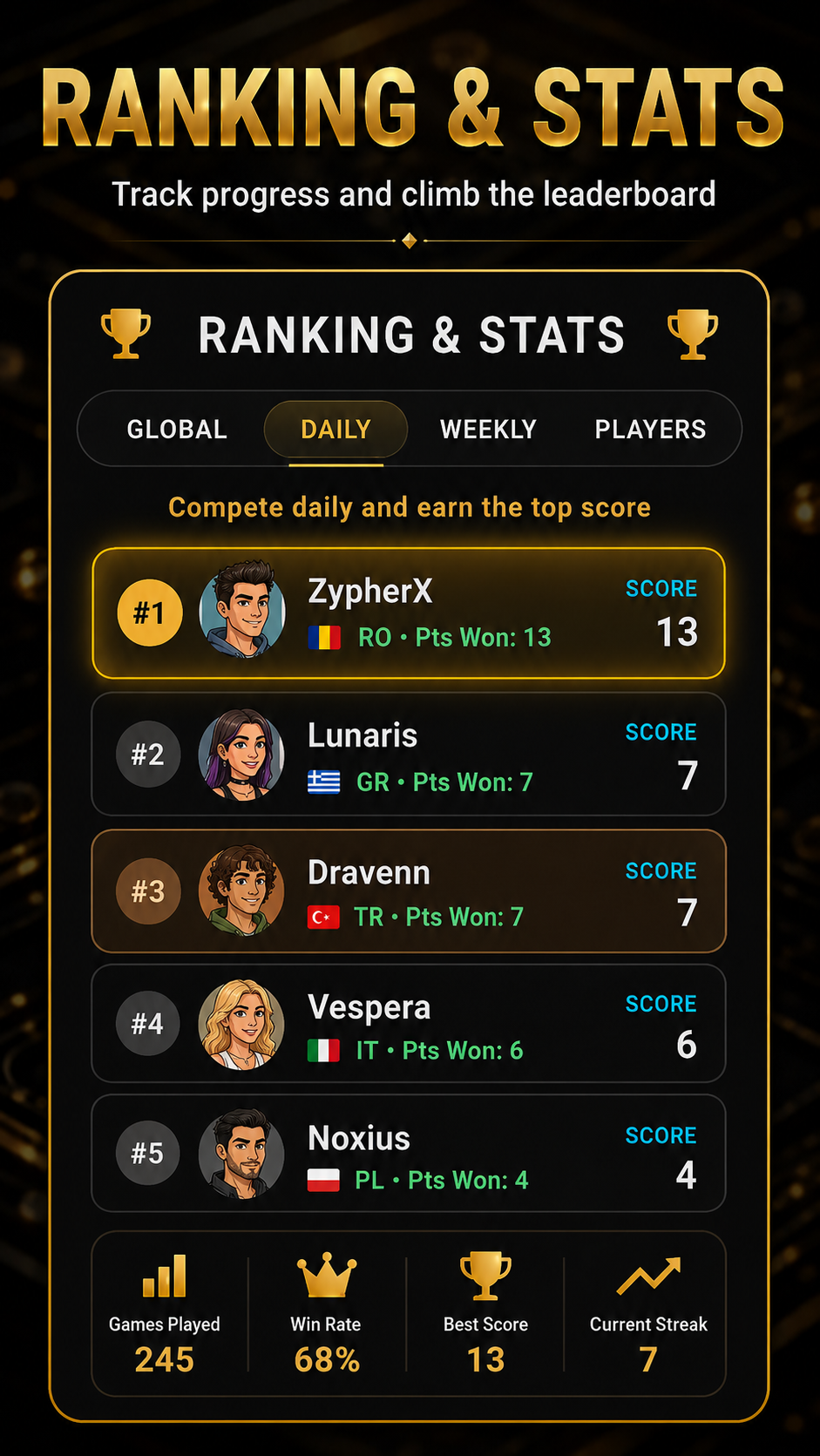
Q: How does the Global ELO Leaderboard work? The Global Leaderboard ranks the top Clean Backgammon players worldwide by competitive ELO score. The leaderboard updates in real-time after every completed ranked match.
Q: What is the Country Cup and how do I score points for my country? The Country Cup is an international tournament built into Clean Backgammon. When you select your country flag in your Profile, every ranked match victory you achieve earns points for your national flag. Countries compete on weekly and all-time leaderboards for national backgammon supremacy.
Q: What are the Daily AI and Weekly AI leaderboards? These boards track player achievements against our AI opponents over 24-hour and 7-day windows, ranking players by consecutive win streaks and net points scored against Hard, Expert, Ultra, and Master AI.
Q: How do I inspect a Player Card? Tapping any username in the leaderboards opens that player's detailed Player Card. You can inspect their career win rate, total wins, active win streak, highest career ELO, player level, and equipped badge.
11. PRO Upgrade, Store, and Free 24-Hour Passes
Q: What is included with Clean Backgammon PRO? Clean Backgammon PRO is a premium one-time upgrade that unlocks: • Complete permanent removal of all banner and interstitial ads. • Unlimited permanent access to the grandmaster Neural Network Master AI. • Immediate unlocking of all 20+ luxury board themes (and their Day/Night variants). • Immediate unlocking of all premium dice skins. • The exclusive Golden Crown profile badge.
Q: Can I try Master AI and PRO features for free? Yes! We believe every player should have the opportunity to experience our state-of-the-art AI. Free players can watch a single short rewarded video ad to unlock a Free 24-Hour Pass, granting complete unlimited access to Master AI and premium board cosmetics for a full 24 hours.
Q: How do I restore my purchase on a new device? If you reinstall the game or switch to a new Android device, simply open the PRO / Store dialog and tap 'Restore Purchases'. The app will automatically contact Google Play and restore your PRO status with zero hassle.

12. Privacy, Account Security, and GDPR Compliance
Q: What data does Clean Backgammon collect? Clean Backgammon adheres to strict privacy-by-design standards. We do NOT collect your email address, phone number, contacts, or location. We only store pseudonymous game data necessary for multiplayer and leaderboards: your chosen display name, avatar index, country code, level, XP, ELO rating, and roll counts for the Dice Fairness audit.
Q: How do I delete my player data and account? Under Customize > Settings > Privacy, tap the red 'Delete Account' button. Confirming this action permanently wipes your local progress, resets your device identifier, and purges your profile from server leaderboards.
Q: Is Clean Backgammon GDPR and Google UMP compliant? Yes. Clean Backgammon fully integrates the official Google User Messaging Platform (UMP) consent SDK, giving European and international players complete transparency and control over their ad consent preferences.